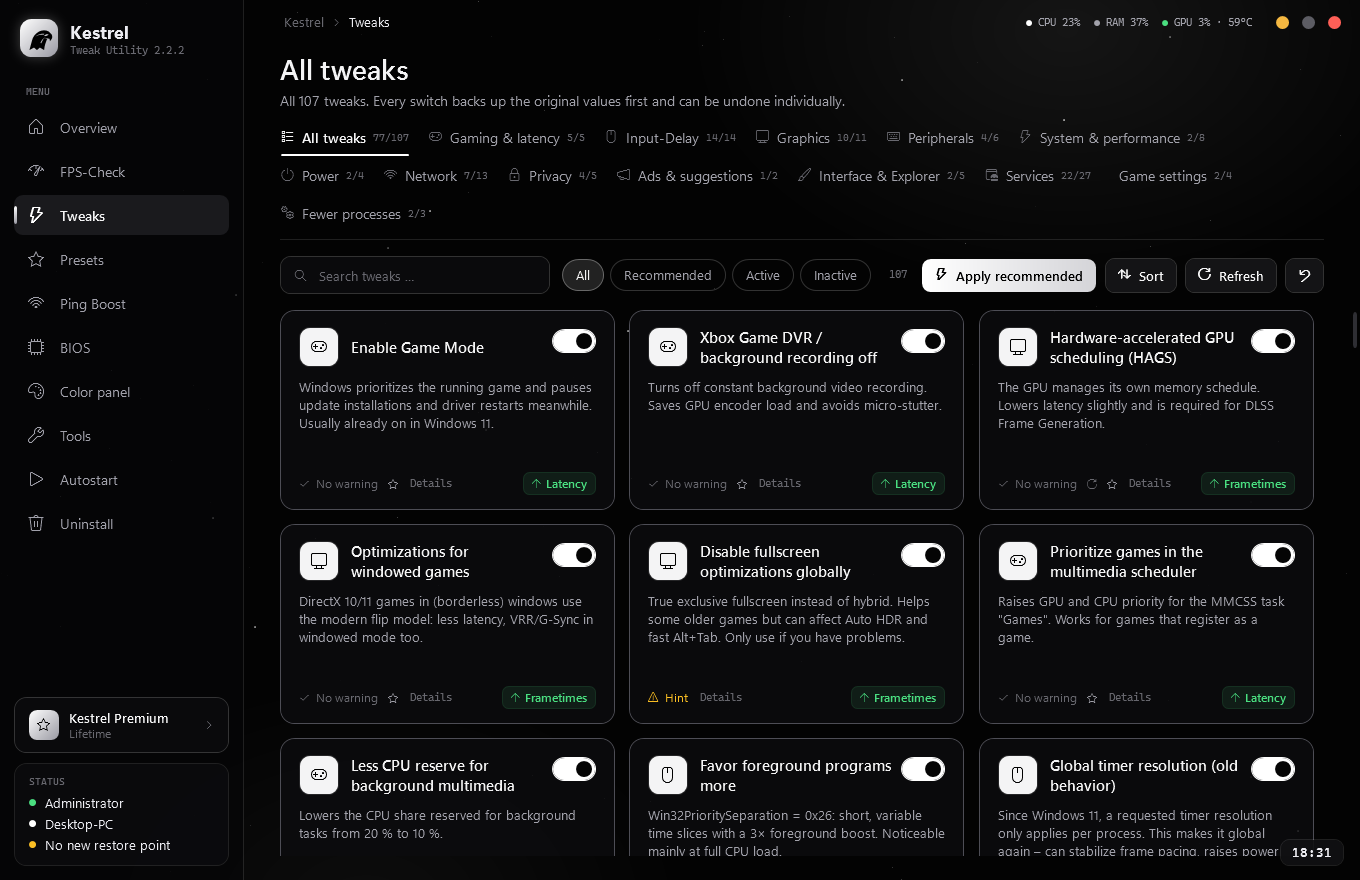
Kestrel makes Windows faster, quieter and more responsive – with honest tweaks that actually do something. Every change is backed up and can be undone with one click.

No placebo tweaks, no hidden side effects. Every tweak shows you what it changes, how risky it is and where it has an effect.
USB power saving off, timer resolution, MSI mode, dynamic tick, CPU sleep states – the strongest tweaks with a measurable effect.
↑ LatencyFinds what is holding your frame rate back – CPU limits, wrong refresh rate, forced VSync, hot GPU, background hogs – and fixes it.
↑ FPS stabilityMeasures DPC and interrupt latency of your drivers with Windows event tracing and shows which driver causes stutter.
↑ MeasurableReads your board and CPU and builds a checklist of BIOS settings – open it on your phone via QR code while you are in the BIOS.
↑ HardwarePing and jitter analysis, DNS benchmark, bufferbloat test and network adapter tuning against lag spikes.
↑ Steadier pingTuned configs for games like Fortnite plus an NVIDIA profile with low latency mode – backed up and reversible like every tweak.
↑ Less loadPress the button and watch what Kestrel does step by step. Nothing happens on your PC here – it is only a preview.
Example values for illustration, not a measurement. How much it helps depends on your PC – the real before/after comparison is done by the FPS and latency check in the app.
Native Windows app, starts in under a second and needs no installation.

Week and month only start at the first activation – not at purchase. One license is valid for one PC.
| Feature | Free | Premium |
|---|---|---|
| Overview, live monitor, tools | ✓ | ✓ |
| All “safe” tweaks | ✓ | ✓ |
| FPS check & latency check | ✓ | ✓ |
| Advanced tweaks & input delay | – | ✓ |
| One-click presets | – | ✓ |
| Game settings & NVIDIA profile | – | ✓ |
| BIOS assistant with phone checklist | – | ✓ |
Book a session: we connect via AnyDesk and set up Windows, drivers, BIOS and your games together – you watch and can ask questions at any time.
Real reviews from our Discord community – written with /review.
Every tweak backs up the original values first and can be undone individually. Risky tweaks are marked “Advanced” and ask before applying. Kestrel also offers to create a Windows restore point.
On your personal order page right after payment. Enter it in Kestrel under “License” and you are done.
For 1 week and 1 month only with the first activation in Kestrel – not at purchase.
One license is valid for one PC. If you change devices, message us – we will reset the binding.
That depends on the system. Kestrel does not promise made-up percentages – the built-in FPS and latency checks let you measure what improves on your PC. The tweaks usually have the biggest effect on 1 % lows, stutter and input delay.
Kestrel changes Windows settings, not the games themselves, and injects nothing into game processes.